
Select a layout in a list with SAP GUI Scripting
Introduction
Selecting a layout in a SAP list is a common step in automation. After clicking "select layout", you right-click in the left column, access search, and enter the layout name.
Here are two methods to automate this operation.
Method 1: Steps to record during macro creation
Step 1 - Right-click
After clicking the "choose layout" button, right-click in the left column of the list to access context options.
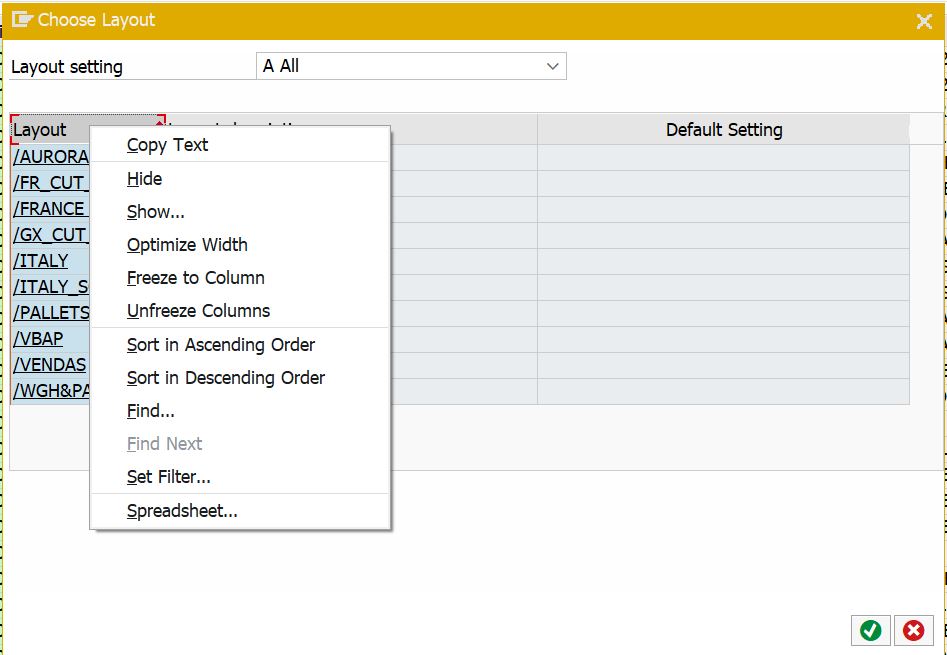
Select "Find..." from the context menu.
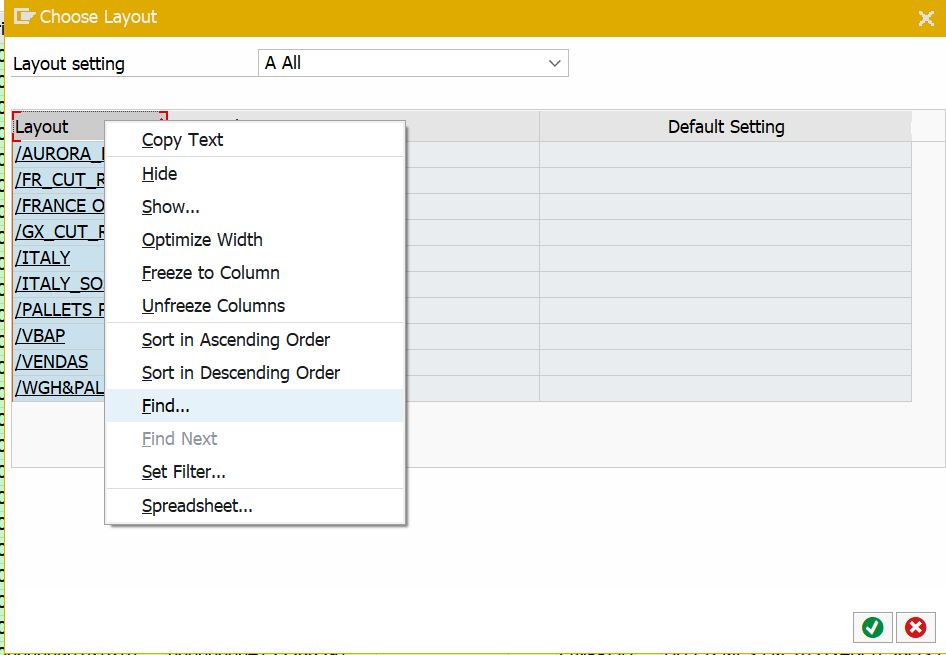
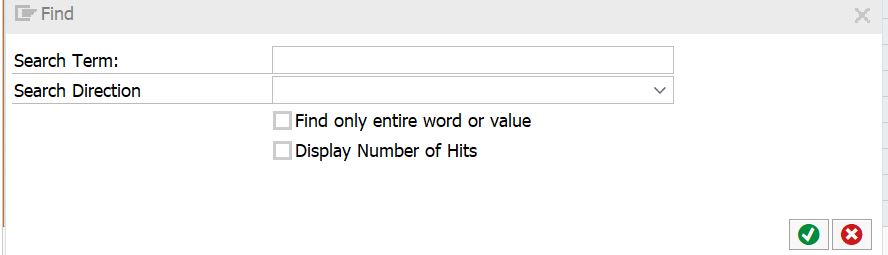
Step 2 - Search window
A search dialog appears with specific input fields for layout identification.
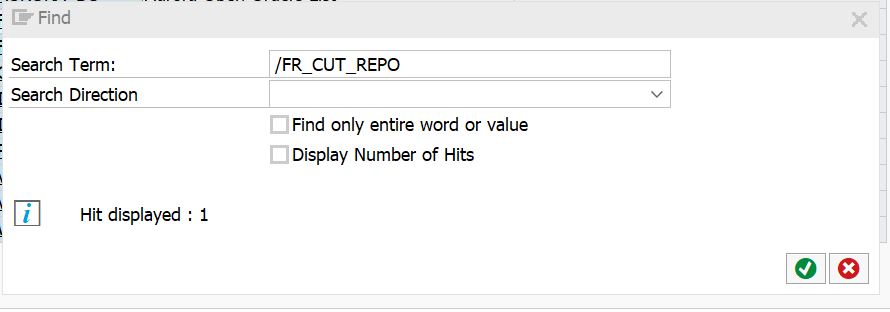
Step 3 - Enter the layout name
Enter the layout name in the "Search Term" field and validate.
Step 4 - Confirm selection
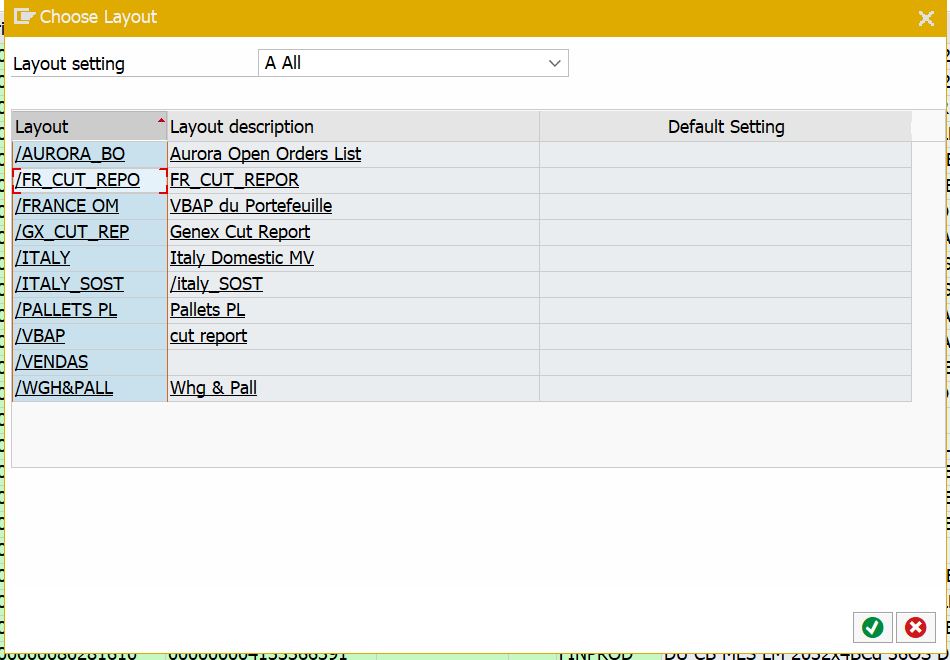
The cursor positions on the selected layout. Close the search window by clicking the red X and validate the selection.
Step 5 - Layout selected
The layout is now selected and ready for export.
Step 6 - Excel integration
Once the table is exported from SAP, integrate it directly into your Excel files.
Method 2: Code insertion for existing macros
For previously recorded macros, right-click the .vbs script file, open in Notepad, and insert the following code:
objSess.FindById("wnd[0]/tbar[1]/btn[33]").Press
objSess.FindById("wnd[1]/usr/ssubD0500_SUBSCREEN:SAPLSLVC_DIALOG:0501/cntlG51_CONTAINER/shellcont/shell").CurrentCellRow = -1
objSess.FindById("wnd[1]/usr/ssubD0500_SUBSCREEN:SAPLSLVC_DIALOG:0501/cntlG51_CONTAINER/shellcont/shell").SelectColumn "VARIANT"
objSess.FindById("wnd[1]/usr/ssubD0500_SUBSCREEN:SAPLSLVC_DIALOG:0501/cntlG51_CONTAINER/shellcont/shell").ContextMenu
objSess.FindById("wnd[1]/usr/ssubD0500_SUBSCREEN:SAPLSLVC_DIALOG:0501/cntlG51_CONTAINER/shellcont/shell").SelectContextMenuItem "&FIND"
objSess.FindById("wnd[2]/usr/txtGS_SEARCH-VALUE").Text = "/FR_CUT_REPO"
objSess.FindById("wnd[2]/usr/txtGS_SEARCH-VALUE").CaretPosition = 12
objSess.FindById("wnd[2]/tbar[0]/btn[0]").Press
Replace /FR_CUT_REPO with your actual layout name.


